Monday, August 20, 2012
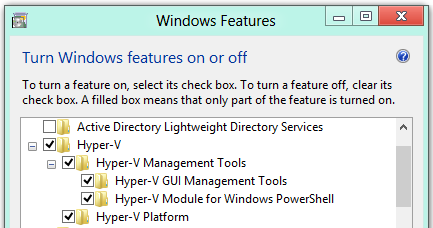
Virtualization is built into Windows 8

Oh, please! Stop complaining and just type...

Tuesday, July 31, 2012
Outlook.com: more cloud integration and power to you

Thursday, July 26, 2012
In spite of "strategic" naysayers Windows 8 is and will continue to be a success
In a tech media landscape apparently covered by iPhone and iPad fanboys, if not Android ones, there appears to be a concerted effort to rain on Microsoft's parade, with its new line of products around Windows 8, namely, Windows Phone 8 and Windows 8 for desktop PCs and tablets. Take for example, the unwarranted article featured on the cover of the otherwise serious and unbiased magazine Vanity Fair under the header Microsoft's Lost Decade. The question is, why precisely now? This article has the "news (?) angle" or better yet the "editorial angle" in which Microsoft is portrayed as if they hadn't done anything (to be reckoned with) since the release of Windows XP, ten years ago! And it also appears to come from ex Microsoft employees, like someone who left the company 16 years ago (in 1996!) and is featured by blogger Preston Gralla of ComputerWord, in an article with a dramatic National Enquirer-style headline: Microsoft ex-employee -- Windows 8 is a "catastrophe." Gralla boasts that "he can offer insightful, clear-eyed commentary about Microsoft and all its technologies" (!) Hard to believe. Not to mention, a number of so called tech journalists, i.e. "journos" everywhere on the Web spewing, often regurgitated, false statements and clearly biased opinions on these products. "Analysis" on software and hardware products they haven't used for more than a few minutes, and that in the event that they actually did. And don't get me started with the ubiquitous Apple laptop on every movie, commercial, magazine ad or news about computers developers and startups and entrepreneurs. Coincidence? I definitely don't think so!
On the other hand there are the thousands of enthusiastic old and new followers of the super nimble and elegant Windows Phone 7, Windows 8 Release preview and the Surface Tablet. How about "Mac User: Why I love Windows 8"? And how about Seton Hall University, in New Jersey, providing new freshmen with a Windows 8 Tablet and a Nokia Lumia 900 phone?
A lost decade for Microsoft? With a repertoire of proven business tools like these?! The bias is completely obvious in the media outlets mentioned above and everywhere else.
On the other hand there are the thousands of enthusiastic old and new followers of the super nimble and elegant Windows Phone 7, Windows 8 Release preview and the Surface Tablet. How about "Mac User: Why I love Windows 8"? And how about Seton Hall University, in New Jersey, providing new freshmen with a Windows 8 Tablet and a Nokia Lumia 900 phone?
A lost decade for Microsoft? With a repertoire of proven business tools like these?! The bias is completely obvious in the media outlets mentioned above and everywhere else.
Monday, July 9, 2012
Wozniak, Apple's co-founder, praises Microsoft, again
Steve Wozniak is an electronics engineer and a computer pioneer, with a bunch of Doctor of Engineering degrees, and better known as the co-founder, with Steve Jobs, of Apple. Last week, as a special guest of the Entel Summit, in Chile, once again he expressed his appreciation for Microsoft technologies. He said, more or less verbatim, that "I do see a lot of stuff coming out from Microsoft in the consumer arena (Nokia Lumia phones, Surface) and they have such a strikingly good visual appearance, which is a lot of what Steve Jobs always looked for: the convergence of art and technology...so I made a joke that Steve Jobs came back reincarnated at Microsoft... and I do want to see the surface, I want to own one, I want to use one; I prefer to judge things that I really know, and not what I read about. I'm glad that Microsoft is starting to show that maybe they're a different company than before. I don't remember this sort of thing happening in a long, long time for Microsoft. I'm very happy..." Wozniak, a gadget geek, had specifically expressed his admiration for the Nokia Lumia 900 a few months ago when he declared, in a interview, that "Windows Phone apps are much more beautiful than the same apps on Android and iPhone". Well, I have to agree with him, not just, this because this a Windows blog and because I am a happy owner of a Nokia Lumia phone, but because he's spot on.
Monday, June 18, 2012
It's official: a new Microsoft Tablet has arrived!

Monday, June 4, 2012
Windows 8 Release Preview up and running
 |
| Composed screenshot: the opening screen plus an insert of the setup. |
Subscribe to:
Posts (Atom)